Best Computer for Gaming in 2026: Complete Guide to Choosing the Perfect Gaming PC
Gaming has changed dramatically over the years. Modern games are no longer just about simple graphics and basic gameplay. Today, gamers expect realistic visuals, high frame rates, ray tracing, fast loading times, smooth multiplayer performance, and excellent responsiveness. Because of this, choosing the best computer for gaming can be confusing, especially when there are hundreds of processors, graphics cards, RAM options, SSDs, and pre-built gaming PCs available in the market.
A good gaming computer should not only run today’s popular games smoothly but should also be powerful enough to handle upcoming titles for several years. The right choice depends on your budget, the games you play, your monitor resolution, and whether you also use your computer for streaming, video editing, or other demanding tasks.
In this guide, we will explain everything you need to know about choosing the best gaming PC in 2026, including the CPU, GPU, RAM, storage, motherboard, cooling, power supply, monitor, and different budget categories.
What Makes a Computer Good for Gaming?
Before purchasing a gaming computer, it is important to understand which components have the biggest impact on gaming performance.
The most important parts are:
- Graphics Card (GPU)
- Processor (CPU)
- RAM
- SSD storage
- Motherboard
- Power Supply Unit (PSU)
- CPU cooler
- Cabinet and airflow
- Gaming monitor
best computer for gaming Among these components, the GPU is usually the most important component for gaming performance, particularly when playing modern AAA games at 1440p or 4K resolution.
The CPU is also important because it handles game logic, physics, AI, background tasks, and communication with the graphics card. For competitive games such as Counter-Strike 2, Valorant, Fortnite, and other high-FPS titles, a strong CPU can make a significant difference.
Best Gaming PC in 2026: What Should You Buy?
There is no single gaming computer that is perfect for everyone. A person with a ₹70,000 budget should not buy the same computer as someone spending ₹3 lakh or more.
For most gamers, a mid-range gaming PC with a powerful modern GPU, 32GB RAM, and a fast NVMe SSD offers an excellent balance between performance and price.
For enthusiasts who want high-refresh-rate 1440p or 4K gaming, a system built around an RTX 5080-class GPU and a high-end gaming CPU such as the Ryzen 7 9800X3D is a much stronger option.
Current PC gaming guides also place RTX 5070-class systems in the strong performance/value category, while RTX 5080 systems are aimed at high-end gaming.
Best Gaming PC Components
1. Graphics Card: The Most Important Gaming Component
The graphics card, commonly called the GPU, is responsible for rendering game graphics. It has a major impact on FPS, resolution, ray tracing, texture quality, and visual quality.
If gaming is your primary purpose, you should spend a significant part of your budget on the GPU.
best computer for gaming NVIDIA GeForce RTX 5070
The RTX 5070 is an excellent choice for gamers who want strong performance without moving into the most expensive enthusiast hardware.
According to NVIDIA’s specifications, the RTX 5070 features:
- Blackwell architecture
- 6,144 CUDA cores
- 12GB GDDR7 memory
- 192-bit memory interface
- 4th-generation ray tracing cores
- 5th-generation Tensor cores
- DLSS 4 support
These technologies make the RTX 5070 suitable for modern 1440p gaming and provide additional features for ray tracing and AI-assisted performance.
For many gamers, an RTX 5070-class PC can be considered a sweet spot because it provides excellent gaming performance without the cost of an extreme flagship build.
NVIDIA GeForce RTX 5070 Ti
If you have a larger budget, the RTX 5070 Ti is an even stronger option.
It has:
- 8,960 CUDA cores
- 16GB GDDR7 memory
- 256-bit memory interface
- Blackwell architecture
- 4th-generation ray tracing
- 5th-generation Tensor cores
- DLSS 4 support
The additional memory and higher specifications make the RTX 5070 Ti attractive for gamers who want more performance headroom for demanding games and higher graphical settings.
best computer for gaming NVIDIA GeForce RTX 5080
For high-end gaming, the RTX 5080 is one of the most attractive choices for gamers who want excellent 4K performance and advanced graphics features.
A PC built around the RTX 5080 can be paired with a high-end CPU, 32GB or more RAM, fast NVMe storage, and a high-quality power supply.
However, premium graphics cards can be expensive, and current component pricing can fluctuate significantly. Recent market conditions have also affected memory and GPU pricing, so it is important to compare prices before buying.
2. Best Gaming CPU: AMD Ryzen 7 9800X3D
The CPU is another critical component of a gaming computer.
One of the strongest gaming-focused processors available is the AMD Ryzen 7 9800X3D.
AMD lists the Ryzen 7 9800X3D with:
- Zen 5 architecture
- 8 CPU cores
- 16 threads
- Up to 5.2 GHz boost clock
- 96MB L3 cache
- 120W default TDP
- 2nd-generation 3D V-Cache technology
Its large cache and gaming-focused design make it particularly attractive for high-performance gaming systems.
For a premium gaming computer, pairing the Ryzen 7 9800X3D with a powerful GPU such as the RTX 5080 creates a very capable system.
AMD has also highlighted the gaming performance advantages of its 3D V-Cache technology and Zen 5 architecture.
3. How Much RAM Does a Gaming PC Need?
RAM affects how many applications and game data your computer can handle simultaneously.
For a new gaming PC in 2026, 32GB RAM is a very good target for a mid-range or high-end system.
Recommended RAM
16GB RAM:
Suitable for entry-level gaming and lighter workloads.
32GB RAM:
Recommended for most serious gamers.
64GB RAM:
Useful for gamers who also do video editing, streaming, 3D work, content creation, or heavy multitasking.
For a gaming-focused PC, 2 x 16GB DDR5 memory is a practical configuration. Using two modules can also provide dual-channel memory performance.
4. SSD Storage: Don’t Buy a Gaming PC With Only a Small Drive
Modern games can take a huge amount of storage space. Some AAA games can require well over 100GB after updates and additional content.
For a new gaming PC, a 1TB NVMe SSD should be considered the minimum practical starting point, while 2TB is preferable for gamers with a large library.
1TB SSD
Good for:
- Windows
- Applications
- Several large games
- Everyday use
2TB SSD
Better for:
- Large game libraries
- Multiple AAA games
- Faster workflow
- Long-term use
NVMe SSDs also provide excellent loading performance and make Windows feel much faster than traditional hard drives.
If your budget allows it, choosing a 2TB NVMe SSD can be a better long-term decision than purchasing a small SSD and upgrading shortly afterward.
5. Motherboard: Don’t Overspend, But Don’t Go Too Cheap
The motherboard connects all your major components.
For a Ryzen 7 9800X3D build, you should choose a compatible AM5 motherboard with the features you actually need.
Look for:
- Good VRM design
- DDR5 support
- Multiple M.2 slots
- Wi-Fi if required
- Bluetooth
- USB connectivity
- Good cooling
- BIOS support
- Future upgrade options
A good motherboard can also make future upgrades easier.
However, you should not spend an unnecessarily large portion of your budget on the motherboard if that money could instead improve your GPU.
6. CPU Cooling Is Important
A powerful CPU requires appropriate cooling.
For gaming systems, you can choose between:
- Air coolers
- 240mm liquid coolers
- 280mm liquid coolers
- 360mm liquid coolers
A high-quality air cooler can be sufficient for many CPUs, while high-end builds may benefit from a capable AIO liquid cooler.
Good cooling helps maintain stable temperatures and can prevent performance problems caused by excessive heat.
7. Power Supply: Never Compromise on PSU Quality
The power supply is one of the most overlooked components in a gaming PC.
A powerful graphics card requires a reliable PSU with sufficient wattage.
For a mid-range gaming PC, a quality 650W–750W unit may be suitable depending on the complete system.
For higher-end GPUs, you may want an 850W or higher PSU depending on the specific graphics card and complete system configuration.
Always select a reputable PSU with appropriate efficiency and modern connectors.
Saving a small amount of money on the power supply is not worth risking expensive components.
Best Gaming PC Builds by Budget
Best Gaming PC Under ₹70,000
If your budget is around ₹70,000, you should focus on 1080p gaming.
A suitable configuration can include:
- Modern Ryzen 5/Core i5 processor
- Entry-level or mid-range dedicated GPU
- 16GB DDR5 RAM
- 1TB NVMe SSD
- Reliable 550W–650W PSU
- Budget-friendly motherboard
- Air cooler
- Good airflow cabinet
This type of PC is ideal for games such as:
- Valorant
- Counter-Strike 2
- Fortnite
- Minecraft
- GTA V
- Apex Legends
- PUBG PC
The exact graphics card should be selected according to current local prices.
Best Gaming PC Around ₹1 Lakh
At around ₹1 lakh, you can build a considerably stronger gaming system.
A recommended target would be:
- Ryzen 5 or Ryzen 7 processor
- RTX 5060-class or similar GPU
- 16GB–32GB DDR5 RAM
- 1TB NVMe SSD
- Quality B-series motherboard
- 650W PSU
- Good airflow cabinet
This category is excellent for 1080p high-refresh-rate gaming and can also be suitable for 1440p depending on the GPU and game.
Best Gaming PC Around ₹1.5 Lakh
A budget of approximately ₹1.5 lakh opens the door to a strong 1440p gaming PC.
A good target could be:
- Ryzen 7 processor
- RTX 5070-class GPU
- 32GB DDR5 RAM
- 1TB–2TB NVMe SSD
- Quality AM5 motherboard
- 750W–850W PSU
- Good CPU cooler
- Airflow-focused cabinet
This is arguably one of the most attractive price-performance categories for serious gamers.
Best Gaming PC Around ₹2 Lakh
With around ₹2 lakh, you can target a powerful 1440p gaming system and potentially enter 4K gaming depending on the GPU and game settings.
Recommended components can include:
- High-performance Ryzen 7 processor
- RTX 5070 Ti-class GPU
- 32GB DDR5 RAM
- 2TB NVMe SSD
- Quality B850/X870-class motherboard
- 850W PSU
- Premium CPU cooling
This type of computer is ideal for gamers who want high graphics settings and high refresh rates.
Best High-End Gaming PC
For gamers with a premium budget, a build based around:
AMD Ryzen 7 9800X3D + NVIDIA RTX 5080
is a very powerful combination.
A high-end configuration could include:
- AMD Ryzen 7 9800X3D
- NVIDIA GeForce RTX 5080
- 32GB or 64GB DDR5 RAM
- 2TB NVMe SSD
- Premium AM5 motherboard
- 850W–1000W quality PSU
- High-performance CPU cooler
- High-airflow premium cabinet
This configuration is designed for gamers who want excellent 1440p performance, high-refresh-rate gaming, and strong 4K capability.
Recent gaming PC guides also recommend a Ryzen 7 9800X3D + RTX 5080 class system for high-end gaming rather than spending unnecessarily on even more expensive hardware.
Best Monitor for a Gaming PC
Buying a powerful computer but pairing it with a poor monitor can reduce the overall gaming experience.
Your monitor should match your GPU.
1080p Gaming
Ideal for:
- Budget gaming PCs
- Competitive games
- 144Hz–240Hz gaming
1440p Gaming
This is an excellent choice for many modern gaming PCs.
A 1440p 144Hz or 165Hz monitor can provide a strong balance between image quality and smooth gameplay.
4K Gaming
4K is best suited for powerful GPUs.
If you are building an RTX 5080-class system, a high-quality 4K gaming monitor can make sense.
However, a 4K monitor is not automatically better for every gamer. Competitive players may prefer 1440p or 1080p at extremely high refresh rates.
Gaming PC vs Gaming Laptop
Many gamers also wonder whether they should buy a desktop or laptop.
A gaming desktop usually provides:
- Better upgradeability
- Better cooling
- More performance for the money
- Easier component replacement
- Better long-term customization
A gaming laptop offers:
- Portability
- Built-in screen
- Keyboard and trackpad
- Easy transportation
If you primarily play games at home, a desktop gaming PC is generally the better choice.
If you frequently travel or need a computer for college or work, a gaming laptop may be more practical.
Pre-Built Gaming PC vs Custom-Built PC
There are two major ways to purchase a gaming computer.
Custom-Built PC
Building your own PC allows you to select every component.
Advantages include:
- Better component control
- Easier upgrades
- Better price optimization
- Custom appearance
- Ability to prioritize GPU performance
However, you need some knowledge about PC components and compatibility.
Pre-Built Gaming PC
A pre-built PC comes assembled and ready to use.
Advantages include:
- Easy setup
- Warranty support
- No assembly required
- Single-system support
- Lower risk of installation mistakes
Pre-built systems can be particularly convenient for first-time PC gamers. Current gaming PC buying guides continue to recommend pre-built machines for users who prioritize convenience, warranty, and support.
Common Mistakes to Avoid When Buying a Gaming PC
1. Buying a Powerful CPU With a Weak GPU
Gaming performance is often heavily influenced by the graphics card. Spending too much on the CPU while choosing a weak GPU can create an unbalanced system.
2. Buying Only 8GB RAM
8GB is no longer a sensible target for a new serious gaming computer.
Choose at least 16GB, and 32GB is preferable for a modern gaming-focused system.
3. Buying a Small SSD
A 256GB or 512GB SSD can become full very quickly.
A 1TB drive is a much better starting point.
4. Choosing a Cheap PSU
Never select a PSU only based on wattage.
Quality, reliability, efficiency, and appropriate connectors matter.
5. Ignoring Cooling
A powerful PC needs proper airflow and cooling.
A good cabinet with adequate fans can improve thermal performance.
6. Spending Too Much on RGB
RGB lighting can make a PC look fantastic, but it does not increase FPS.
If your budget is limited, spend your money on the GPU, CPU, RAM, and SSD first.
What Is the Best Gaming PC for You?
The answer depends on what you play.
If you mainly play competitive games such as Valorant and Counter-Strike 2, you don’t necessarily need an extremely expensive PC. A strong mid-range CPU, capable GPU, and high-refresh-rate monitor may be the better investment.
If you play demanding AAA games such as Cyberpunk 2077, Red Dead Redemption 2, Hogwarts Legacy, or other graphics-intensive games, a more powerful GPU is worth considering.
For 1440p gaming, an RTX 5070-class system is an excellent target.
For high-end 1440p and 4K gaming, an RTX 5070 Ti or RTX 5080-class GPU makes more sense.
For enthusiasts who want a premium gaming CPU, the Ryzen 7 9800X3D is an especially strong option.
Final Verdict: Which Gaming PC Should You Buy?
The best computer for gaming in 2026 is not necessarily the most expensive computer you can buy.
For most gamers, the ideal system is a balanced PC where the GPU, CPU, RAM, storage, and cooling work together without creating a major bottleneck.
If you have a limited budget, prioritize the GPU and choose a capable modern processor.
If you have around ₹1.5 lakh, an RTX 5070-class gaming PC with 32GB RAM and a fast NVMe SSD can be an excellent choice.
If your budget is around ₹2 lakh or more, moving toward an RTX 5070 Ti-class system can provide additional performance.
For enthusiasts, a Ryzen 7 9800X3D + RTX 5080 gaming PC with 32GB or 64GB RAM and a 2TB NVMe SSD can provide an outstanding premium gaming experience.
Ultimately, the best gaming computer is the one that matches your games, monitor, budget, and future upgrade plans.
Before buying, compare current prices, check component compatibility, and avoid choosing components based purely on brand names or RGB lighting. A balanced configuration will usually deliver a much better gaming experience than an expensive PC with one extremely powerful component and several weak ones.
Frequently Asked Questions
What is the best gaming PC in 2026?
For high-end gaming, a Ryzen 7 9800X3D paired with an RTX 5080-class GPU is an excellent premium configuration. For better value, an RTX 5070-class system is a strong option.
Is 32GB RAM enough for gaming?
Yes. 32GB is an excellent target for a modern gaming PC and provides comfortable room for gaming, browsers, Discord, launchers, and background applications.
Is an RTX 5070 good for gaming?
Yes. The RTX 5070 is a strong choice for modern gaming, especially at 1440p. NVIDIA lists it with 12GB GDDR7 memory, Blackwell architecture, ray tracing support, and DLSS 4 features.
Is Ryzen 7 9800X3D good for gaming?
Yes. It is specifically designed as an enthusiast desktop processor and combines Zen 5 architecture with 3D V-Cache technology, 8 cores, 16 threads, and up to a 5.2 GHz boost clock.
Should I buy a gaming PC or gaming laptop?
If you mainly game at home, a desktop generally offers better upgradeability and cooling. If portability is important, a gaming laptop is more convenient.
How much should I spend on a gaming PC?
For casual 1080p gaming, you can target an affordable build. For serious 1440p gaming, a mid-range system around ₹1–1.5 lakh can be a good target. For premium 4K gaming, you may need ₹2 lakh or significantly more depending on the components and monitor.
Is an SSD important for gaming?
Yes. An NVMe SSD provides fast game loading and improves overall system responsiveness. For a new gaming PC, 1TB is a good starting point, while 2TB is preferable for large game libraries.
Should I build my own gaming PC?
If you understand PC components and want maximum control over your budget, building your own PC can be an excellent choice. If you want convenience and warranty support, a reputable pre-built gaming PC may be better.
Conclusion
Choosing the best computer for gaming requires more than simply buying the most expensive processor or graphics card. A great gaming PC is a balanced combination of CPU, GPU, RAM, storage, motherboard, cooling, PSU, and monitor.
For budget gamers, a good 1080p PC can provide an excellent experience without spending a fortune. For serious gamers, 1440p offers an excellent balance of visual quality and performance. For enthusiasts, high-end GPUs such as the RTX 5080 paired with a gaming-focused processor such as the Ryzen 7 9800X3D can deliver an exceptional experience.
The most important rule is simple: choose the PC according to your games, resolution, refresh rate, and budget—not simply according to the highest specifications available.
With the right components, your gaming PC can provide fast loading times, smooth gameplay, high frame rates, excellent graphics, and enough performance to remain useful for years.
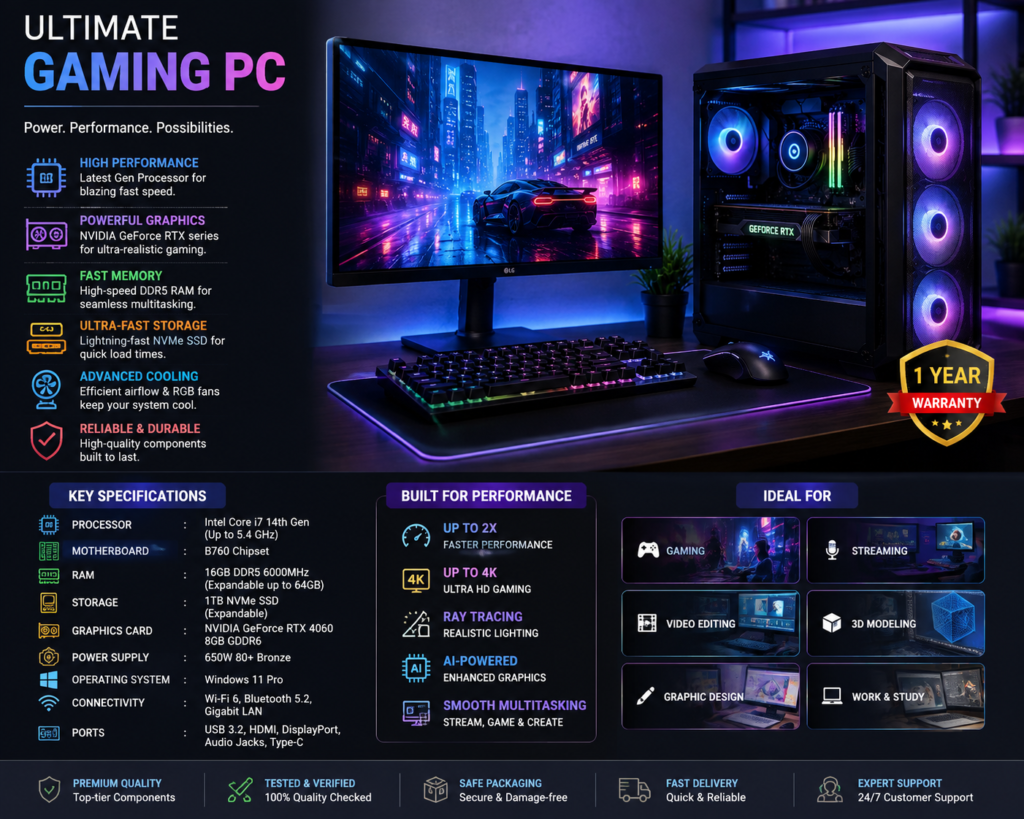
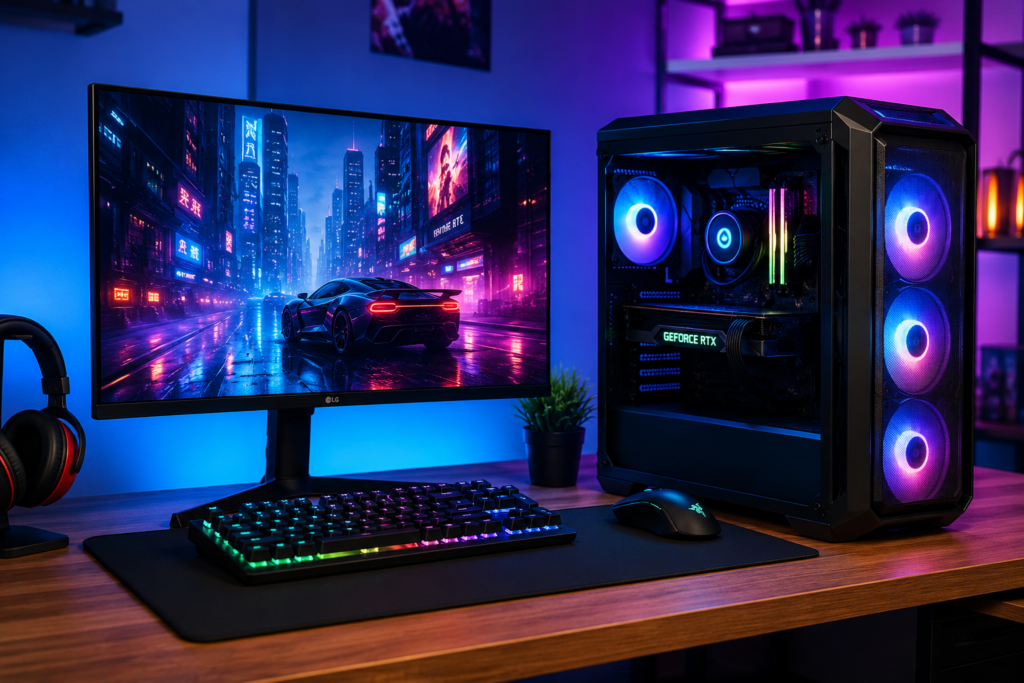
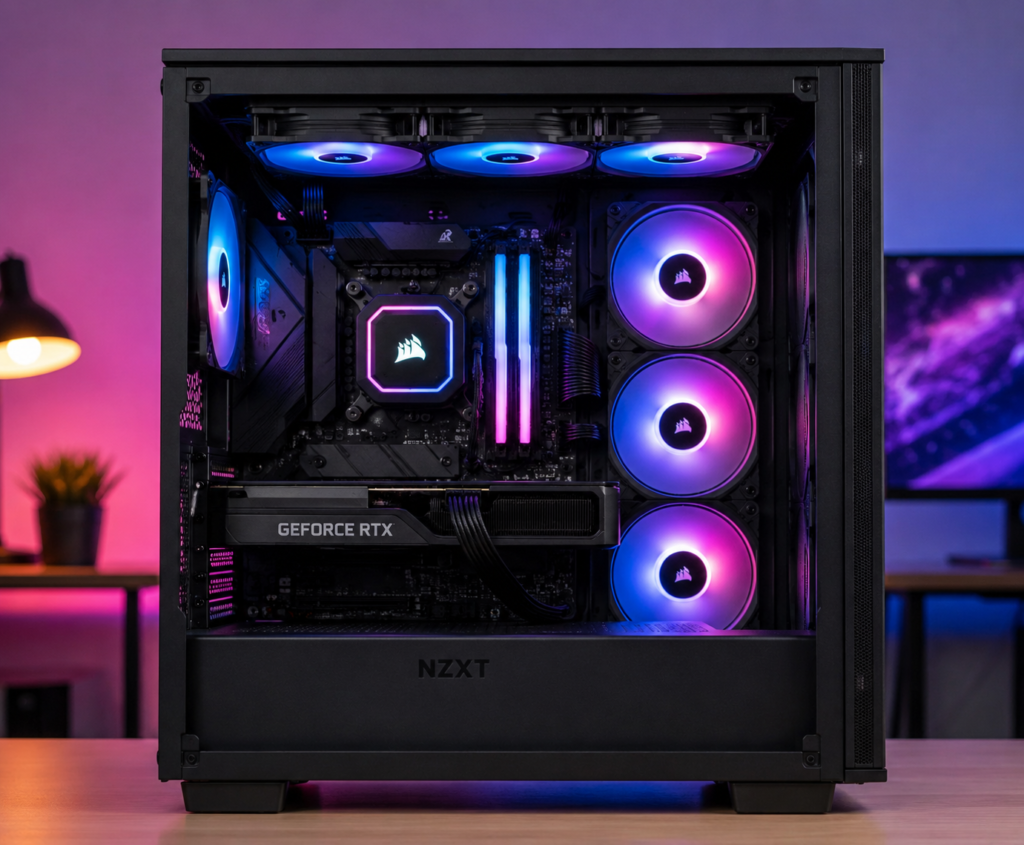
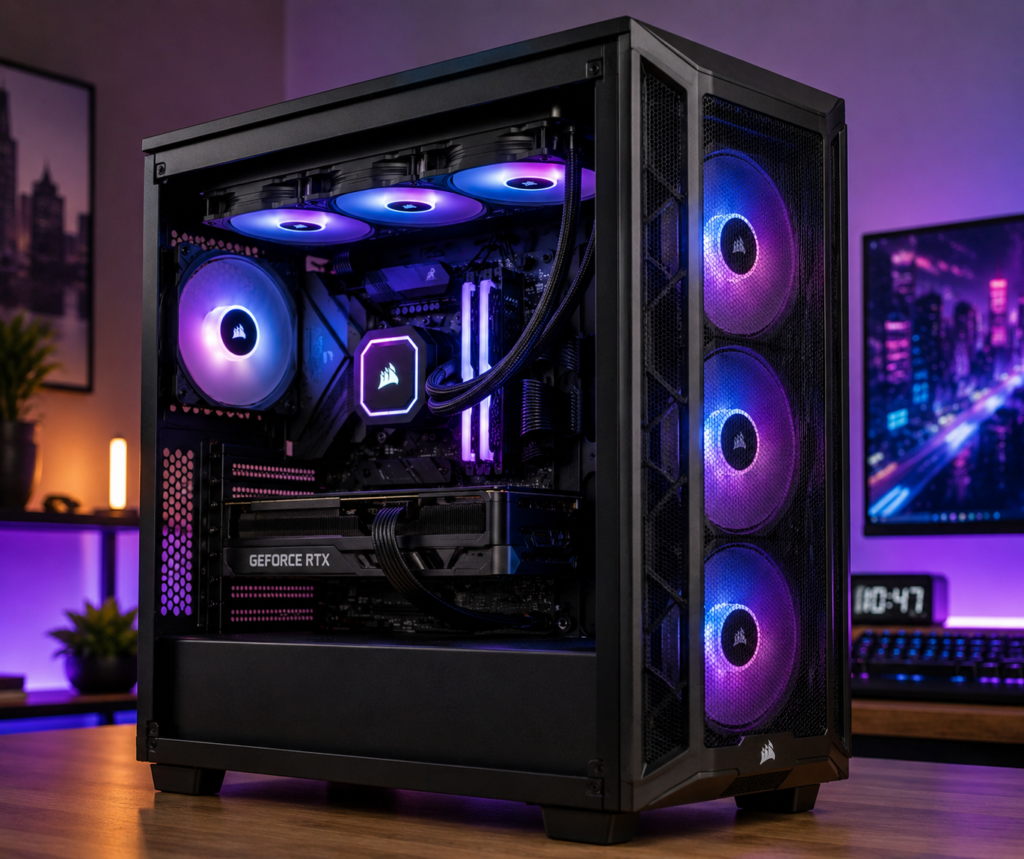
Best Computer for Gaming: A Complete Guide to Choosing the Right Gaming PC
If you are looking for the best computer for gaming, choosing the right PC can make a huge difference to your gaming experience. A powerful gaming computer gives you smoother gameplay, faster loading times, better graphics, and the ability to play modern games at higher settings.
But with so many processors, graphics cards, RAM options, and storage configurations available, finding the best computer for gaming can be confusing. This guide explains what you should look for when buying a gaming PC and how to choose a computer according to your gaming requirements and budget.
What Makes the Best Computer for Gaming?
The best computer for gaming is not necessarily the most expensive computer. The ideal gaming PC should have a balanced combination of processor performance, graphics power, memory, storage, cooling, and upgradeability.
A good gaming computer should provide:
- Powerful CPU for fast game processing
- Dedicated graphics card for high-quality visuals
- At least 16GB RAM for modern gaming
- Fast NVMe SSD for quick loading
- Efficient cooling system
- Reliable power supply
- Good airflow and ventilation
- Upgrade-friendly components
When these components work together, you can enjoy smooth gameplay and excellent performance.
Best Computer for Gaming: Processor
The processor is one of the most important components in a gaming PC. A powerful CPU helps your computer handle game calculations, AI, physics, background applications, and other demanding tasks.
For a modern best computer for gaming, look for a recent-generation processor from a major CPU manufacturer. Depending on your budget, you can choose from mid-range, high-end, or enthusiast-level processors.
A good CPU becomes especially important if you play competitive games at high refresh rates. Games such as esports titles can benefit from strong CPU performance.
best computer for gaming Why CPU Performance Matters
A good processor can provide:
- Faster game processing
- Better frame-rate consistency
- Improved multitasking
- Faster application performance
- Better streaming performance
However, you should avoid spending too much on the CPU while using a weak graphics card. A balanced system is usually better.
Best Computer for Gaming: Graphics Card
The graphics card, or GPU, is arguably the most important component for gaming visuals. If you want high resolution, high frame rates, ray tracing, or advanced graphical effects, you need a capable GPU.
When searching for the best computer for gaming, pay close attention to the graphics card.
A dedicated GPU can help deliver:
- High FPS
- Better textures
- Higher resolutions
- Ray-traced lighting
- Better visual effects
- Smoother gameplay
For 1080p gaming, a capable mid-range graphics card can be enough for many games. For 1440p gaming, you will generally want a more powerful GPU. Gamers targeting 4K should consider high-end graphics hardware.
How Much RAM Does the Best Computer for Gaming Need?
RAM allows your computer to store data that games and applications are actively using.
For a modern gaming computer, 16GB RAM is a good starting point. Gamers who stream, edit videos, run multiple applications, or want additional headroom may consider 32GB.
A typical gaming PC configuration could include:
- 16GB RAM – suitable for most gaming
- 32GB RAM – excellent for gaming and multitasking
- 64GB RAM – useful for heavy professional workloads and specialized applications
More RAM does not automatically mean more FPS. The rest of the PC must also be balanced.
Storage: SSD Is Essential
A fast SSD can significantly improve the overall experience of a gaming computer. Games installed on an NVMe SSD can load quickly, and Windows and applications can also feel much more responsive.
For the best computer for gaming, consider at least a 1TB SSD if your budget allows.
Advantages of NVMe SSD
- Fast boot times
- Faster game loading
- Quick file transfers
- Faster application launches
- Better overall system responsiveness
Modern games can take up a lot of storage space, so a 1TB or larger drive can be a practical choice for gamers with a large game library.
Cooling System for a Gaming PC
Gaming can place heavy loads on the CPU and GPU, which generates heat. That’s why cooling is an important part of choosing the best computer for gaming.
A good gaming PC should have:
- Proper case airflow
- Quality case fans
- Effective CPU cooling
- Adequate GPU ventilation
- Dust management
RGB fans can make a PC look attractive, but airflow and cooling performance should come first.
Best Computer for Gaming for Different Budgets
Your budget determines what kind of gaming PC you can build or buy.
Entry-Level Gaming PC
An entry-level gaming PC is suitable for gamers who mainly play at 1080p resolution.
A balanced configuration could include:
- Modern mid-range CPU
- Entry-level or mid-range dedicated GPU
- 16GB RAM
- 500GB–1TB SSD
- Reliable power supply
- Airflow-focused case
This type of best computer for gaming can be a great choice for casual gamers and esports players.
Mid-Range Gaming PC
A mid-range gaming computer is ideal for people who want stronger performance without paying flagship prices.
A typical configuration could include:
- Powerful modern CPU
- Mid-range GPU
- 16GB or 32GB RAM
- 1TB NVMe SSD
- Better cooling
- Quality motherboard and PSU
A mid-range PC can be an excellent option for 1080p and 1440p gaming.
High-End Gaming PC
If you want maximum performance, a high-end gaming computer is the way to go.
A high-end best computer for gaming may feature:
- High-performance CPU
- Powerful graphics card
- 32GB or more RAM
- 1TB–2TB NVMe SSD
- Advanced cooling
- High-quality motherboard
- Premium power supply
This setup is suitable for demanding AAA games, high-resolution gaming, streaming, content creation, and other intensive workloads.
Gaming PC vs Gaming Laptop
When searching for the best computer for gaming, you may also wonder whether you should purchase a desktop PC or gaming laptop.
Gaming Desktop
Advantages include:
- Better upgradeability
- Better cooling potential
- Strong performance
- Easier component replacement
- More customization options
Gaming Laptop
Advantages include:
- Portable
- Built-in display
- Keyboard and touchpad included
- Convenient for travel
- Requires less desk space
If portability is not important, a gaming desktop is often the better choice for a dedicated gaming setup.
What Monitor Should You Use With the Best Computer for Gaming?
A powerful PC deserves a good gaming monitor. Your monitor should match your GPU’s capabilities.
Popular choices include:
1080p: Great for affordable gaming and competitive esports.
1440p: A strong balance between image quality and performance.
4K: Excellent visual quality for high-end gaming systems.
Refresh rate is also important. Competitive players may prefer high-refresh-rate monitors, while casual gamers may be satisfied with a standard gaming display.
Keyboard, Mouse and Other Accessories
The best computer for gaming is only part of the gaming setup. Your accessories can also influence your experience.
Consider investing in:
- Mechanical gaming keyboard
- Responsive gaming mouse
- Gaming headset
- Large mouse pad
- Gaming monitor
- Comfortable gaming chair
- Controller, if required
A good mouse can be especially useful for FPS and competitive games.
Upgradeability Is Important
One of the biggest benefits of a desktop gaming PC is upgradeability.
When purchasing the best computer for gaming, check whether you can upgrade:
- RAM
- SSD
- Graphics card
- Processor
- Cooling system
- Power supply
A PC that can be upgraded later may provide better long-term value than a system with limited upgrade options.
Power Supply: Don’t Ignore It
The power supply unit (PSU) supplies electricity to all the PC components.
A high-performance gaming PC should use a reliable PSU from a reputable manufacturer. The required wattage depends on the CPU, GPU, and other components.
Don’t choose a PSU simply because it has a high wattage. Quality, efficiency, protections, and appropriate capacity are all important.
Best Computer for Gaming: Things to Check Before Buying
Before purchasing your gaming PC, make sure you check the following:
- CPU – Is it powerful enough for your games?
- GPU – Is it suitable for your target resolution?
- RAM – 16GB is a sensible starting point for modern gaming.
- SSD – Prefer a fast NVMe SSD.
- Cooling – Check airflow and CPU cooling.
- PSU – Choose a reliable unit with suitable capacity.
- Motherboard – Make sure it supports your desired upgrades.
- Case – Confirm that your GPU and cooling components fit.
- Monitor – Match resolution and refresh rate with your PC.
- Upgrade options – Leave room for future improvements.
Conclusion
Finding the best computer for gaming depends on your games, resolution, performance requirements, and budget. Instead of focusing on a single component, choose a balanced configuration with a capable CPU, powerful dedicated GPU, sufficient RAM, fast NVMe storage, reliable cooling, and a quality power supply.
For most gamers, a well-balanced mid-range gaming PC can provide excellent performance without the extreme cost of a flagship system. If you want high-resolution gaming, streaming, content creation, or maximum FPS, investing in a higher-end configuration can be worthwhile.
Ultimately, the best computer for gaming is the one that matches your gaming style today while providing enough upgrade potential for tomorrow.
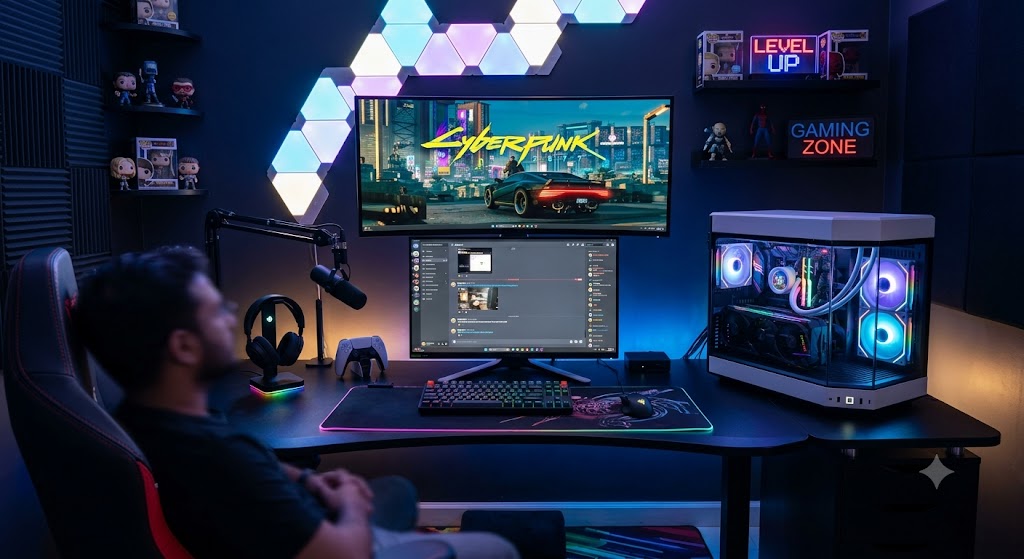
Aapke Ultimate Gaming PC Setup ke liye ek mast energetic aur engaging Vlog Script / Blog Post niche diya gaya hai. Isko aap YouTube vlog, Instagram Reel voiceover, ya blog post ke roop me use kar sakte hain!
🚀 MY DREAM GAMING SETUP IS FINALLY READY! | ₹3 Lakh+ Ultimate PC Build Vlog 🎮🔥
🎥 [0:00 – 0:30] INTRO & HOOK
(Camera cinematic lights ke saath room ke dark vibe aur RGB lightning ko focus karta hai. Fast cuts & energetic background music.)
Vlogger (Excited Voice):
“Dosto, aakhifkaar vo din aa hi gaya jiska mujhe saalon se intezaar tha! 😭🔥
Aaj hum reveal karne wale hain apna Ultimate Dream Gaming Setup! Is setup me lagaya hai sabse powerful PC, Dual Monitors, RGB Hexagon Wall Lights, aur dedicated Streamer Rig!
Agar aap bhi ek hardcore gamer ya content creator hain, toh aaj ki video aapke hosh uda dega. Light closed, RGB ON, aur chaliye shuru karte hain!”
💡 [0:30 – 1:30] ROOM AMBIENCE & WALL SETUP
(Camera room ki acoustic wall panels aur hexagon lights ko sweep karte hue dikhata hai)
- Hexagon Smart Light Panels: Desk ke thik upar wall par customizable RGB lighting.
- Acoustic Foam Panels: Studio sound insulation ke liye black acoustic padding.
- Gaming Zone LED Neon Sign: Room ko ek proper esports & streamer studio look deta hai.
Vlogger:
“Sabse pehle baat karte hain room ke vibe ki! Pichhe aap dekh sakte ho Hexagon RGB panels jo games ke saath sync ho kar lights change karte hain. Acoustic foam lagaya hai taaki streaming ke waqt voice bilkul crisp aur eco-free aaye!”
🖥️ [1:30 – 3:00] DUAL MONITOR & PERIPHERALS SETUP
(Camera desk ke items, keyboard, mouse, aur microphone par zoom in karta hai)
- Dual Display:
- Top: Curved Ultrawide Gaming Monitor (High refresh rate for immersive gaming like Cyberpunk 2077).
- Bottom: Secondary Display (Chatting, Discord, OBS Stream monitoring ke liye).
- Audio & Mic Setup: Boom Arm ke saath Condenser Studio Microphone & Dedicated Headset Stand.
- Desk & Accessories: Full-desk RGB Mousepad, Mechanical RGB Keyboard, aur Controller.
Vlogger:
“Ab aate hain hamare control station par! Yahan humne use kiya hai Dual Monitor Setup. Top par ultrawide curved screen hai games ke liye aur niche secondary monitor stream chat aur Discord ke liye.
Plus, Mechanical keyboard ki tactile feeling aur full-desk RGB mat gaming experience ko alag hi level par le jaata hai!”
🖥️⚡ [3:00 – 4:30] THE BEAST – THE PC CABINET
(Camera Glass Case Cabinet par jaata hai jisme RGB fans aur Liquid Cooling clearly dikh rahe hain)
- Custom Panoramic Glass Cabinet: Dual-chamber design full view panels ke saath.
- Liquid Cooling (AIO): CPU cooling ke liye RGB Liquid Cooler.
- High-End GPU & RAM: Vertical GPU mount, RGB DDR5 RAM sticks.
Vlogger:
“And now… meet THE BEAST! 🔥
Ye glass-case cabinet dekho, lagta hai na bilkul futuristic spaceship! Iske andar lagaya hai latest graphics card, liquid AIO cooler, aur high-speed RGB RAMs. Isme FPS ki koi kami nahi hone wali!”
🎮 [4:30 – 5:30] GAMEPLAY TEST & EXPERIENCE
(Vlogger gaming chair par baithta hai, Cyberpunk 2077 start karta hai)
Vlogger:
“Reel life chhado, direct gameplay dekho! Cyberpunk 2077 ko Ultra Ray-Tracing graphics par chala rahe hain aur smooth 120+ FPS mil rahe hain. Curved screen ke saath game ke andar hone ka ahsaas hota hai!”
📌 [5:30 – END] OUTRO & CALL TO ACTION
(Camera vlogger par focus karta hai)
Vlogger:
“Toh dosto, kaisa laga aapko mera naya Gaming Setup? Comment karke zaroor batana ki 10 me se kitne marks doge is setup ko! 💬
Agar video pasand aayi toh LIKE karo, dosto ke saath SHARE karo, aur channel ko SUBSCRIBE karna mat bhoolna! Milte hain agle gaming livestream me. Tab tak ke liye… Keep Gaming! Bye Bye! 🚀🔥”